As you may know, when entering transactions such as a Purchase Order or Invoice in iDempiere, we need to input a Product as an item for that transaction. Besides the Product column, within the Purchase Order Line or lines in other transaction menus, there is an adjacent column called Charge. This column usually becomes uneditable or is hidden once the Product column has been filled.
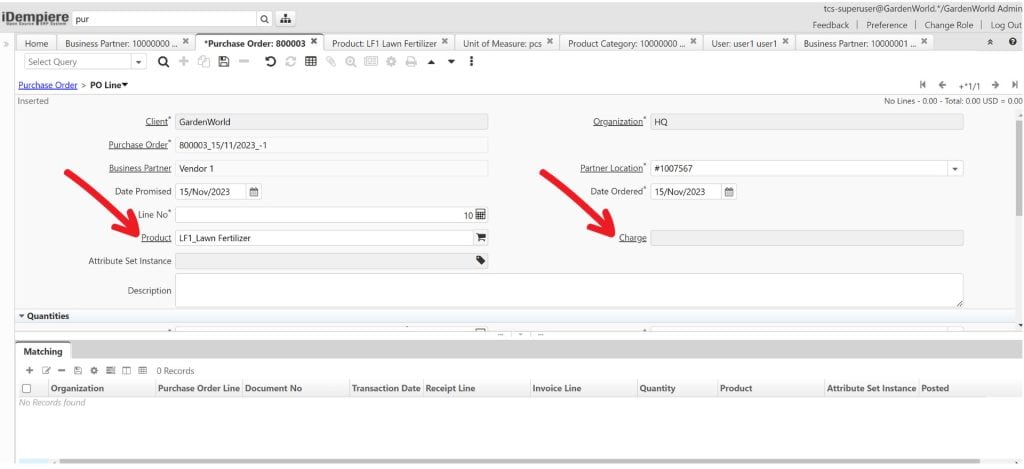
Figure 1: The PO Line menu containing the Product and Charge columns
Why is this the case? What is the Purpose of a Charge?
In terms of utility, a Charge can be considered an item used in a transaction. The difference is that the elements defined in a Charge are more closely related to the costs associated with purchasing transactions. Examples include shipping costs and freight insurance.
Should these costs be input into the Purchase Order Line?
If so, what Product should we use to enter into the Purchase Order Line? This is where a Charge plays its role. We simply need to create a new Charge named “Purchase Shipping Cost” and then select that specific Charge in the Purchase Order Line.
Another frequently asked question is: how do we ensure that the created Charge is journaled to the correct account in the general ledger?
Since a Charge can be named freely, operational users do not need to worry about memorizing specific accounting codes or terms. When a Charge is created, you just need to ensure that it has been mapped to the correct account in the Account tab.
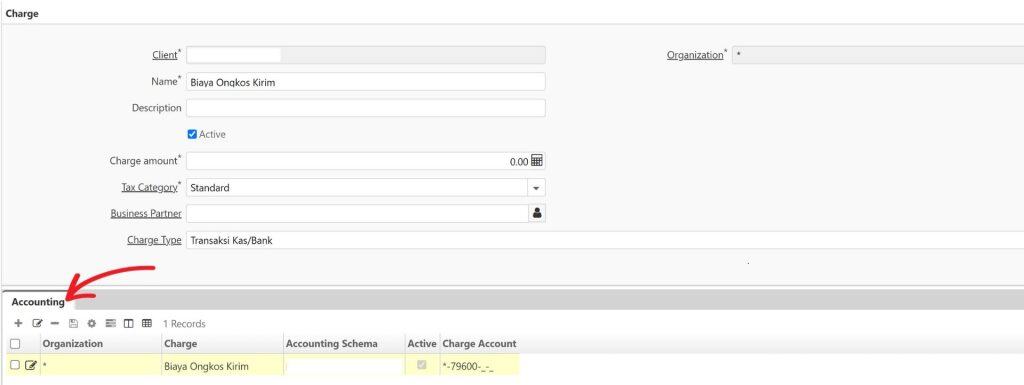
Figure 2: The Charge menu contains an Accounting Tab to determine the journaled account
The Uniqueness of Charges
One of the unique features of a Charge is that we can create multiple Charges with different functions and names, yet have them journaled to the exact same account. For instance, following the previous example, if the company does not separate the Shipping Cost and Freight Insurance accounts, we can simply create two different Charges: a Shipping Cost Charge and a Freight Insurance Charge, and set both to be journaled into the Shipping Expenses account. As a result, in the Purchase Order Line, there will be two separate Charge rows where different prices and descriptions can be entered.
That is the utility of a Charge. Based on our experience implementing iDempiere across various industries, Charges have proven to be incredibly useful. They can be utilized for many more scenarios, ensuring that transactions and accounting bookkeeping remain neat and organized.
To see an example of the Charge menu and its columns, you can visit the official iDempiere link here: https://wiki.idempiere.org/en/Charge_(Window_ID-161).